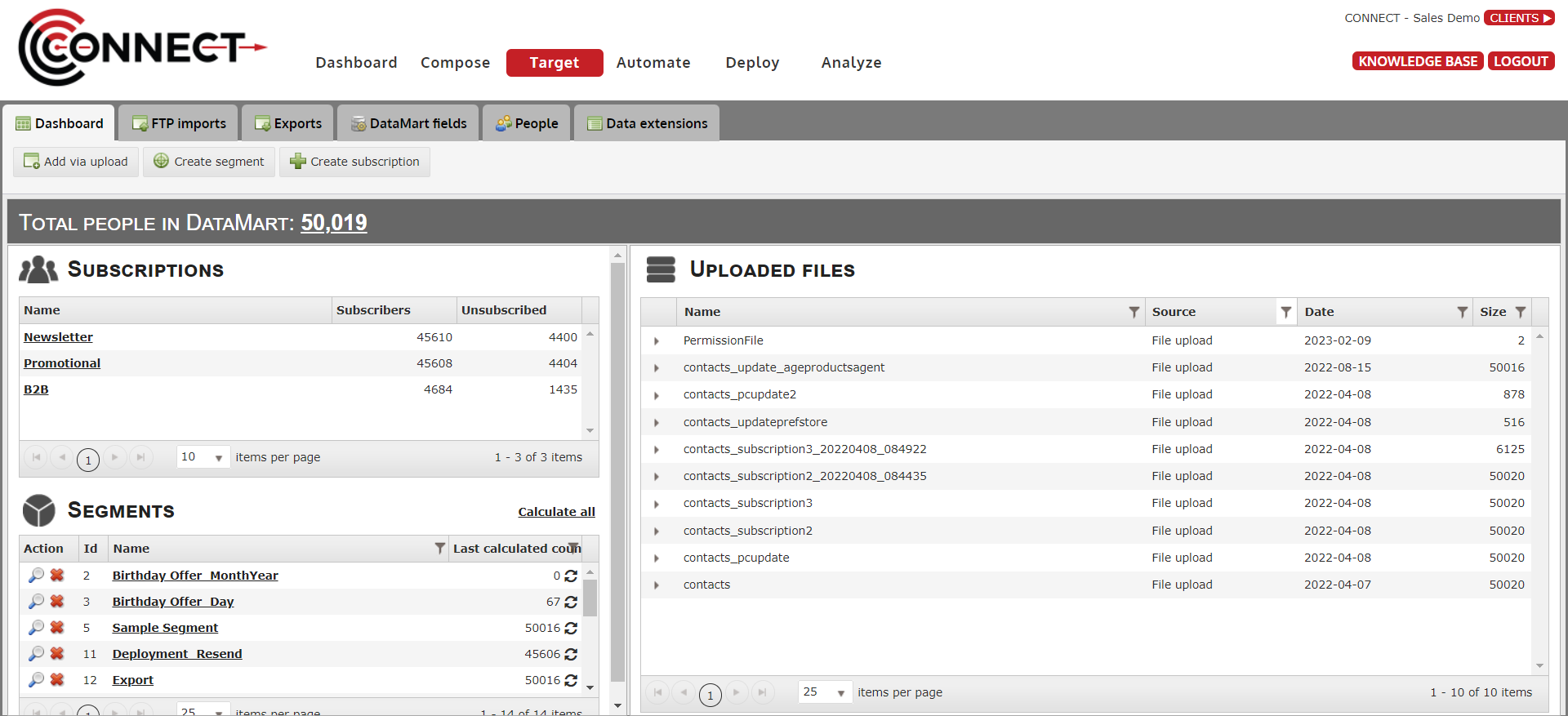
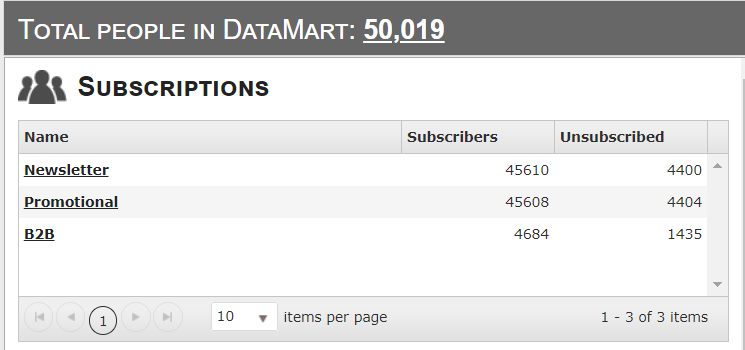
Total People in DataMart This count provides the total number of unique contacts in your DataMart regardless of subscription or other statuses.
If you click on the total number, you will be taken to to view all of your DataMart contacts in a convenient grid.
The total of records in your database are displayed on the screen to inform you on the potential recipients ( the total number will not be equals to the total of subscribers)
The total of subscribed and unsubscribed for each subscriptions are displayed.
2. Segments
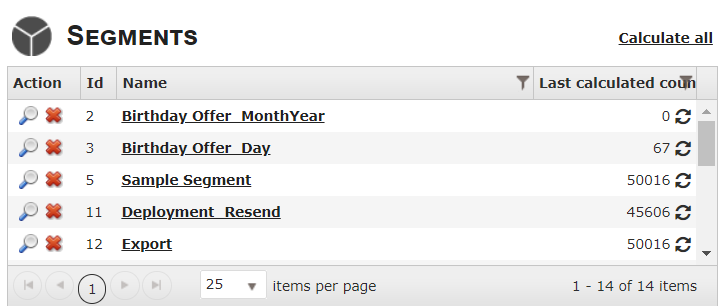
This section lists all of the segments you have created in Connect.
If you click on a segment, you are taken into the Segment Builder interface where you can edit that segment as well as other options.
If you click on under Action, a window will pop up showing a preview of the segment, with shown and not shown DataMart fields
If you click on under Action, you can delete the segment
3. Segment Calculation
The number of recipients for each segment will appear after calculation, under Last Calculated Count. Click on to refresh.
4. How to Filter Segment
You are able to filter segment by Name or Size by clicking on the funnel icon located next to the respective fields.
Name Filter
Count Filer
5. Uploaded Files
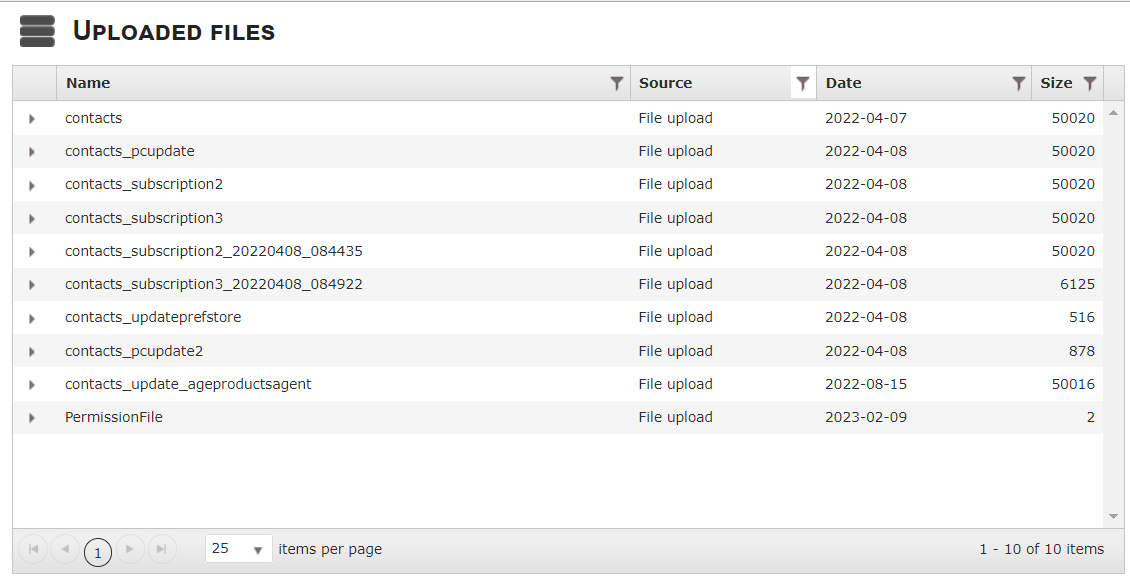
This section will display all of the individual files that have been imported into Connect through 3 different sources:-
Manual List upload
FTP Import
Restful API list upload.
By default, the grid will only show Manual list uploads but you can change that by clicking the filter symbol on the Source column header and selecting which sources you want to be able to view.
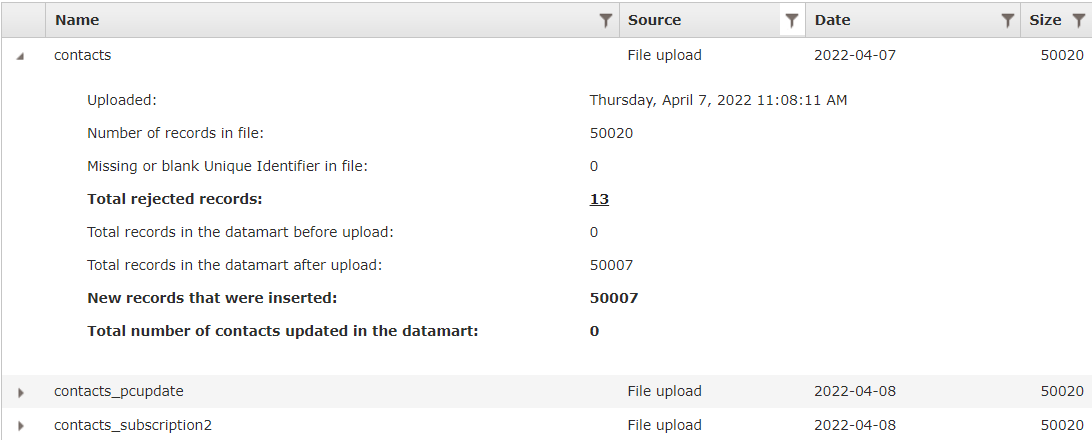
If you click on one of the file names, it will give you a snapshot of what occurred when the file was uploaded.
One important thing to note here, if there were any rejected records in the file, the number will be clickable and you will be able to download the rejected records for review.
Filters: We are able to filter by source or size.
Name The filename
Source Contains the different types of list uploads:
Manual List upload
FTP Import
API list upload
Size Represents the number of records that were in the list.
6. List Details
By clicking the arrow , the list details will expand and will reveal important info regarding the list that was uploaded as shown above.
When records are rejected, the number of rejected records will be clickable and will download automatically the list of rejected records with the error that occurred.

 to view all of your DataMart contacts in a convenient grid.
 under Action, a window will pop up showing a preview of the segment, with shown and not shown DataMart fields
 under Action, you can delete the segment

 to refresh.
 by source or size.